
Core HR Agent
AI Agents Examples: Real-World Use Cases And Types Explained
- 07 April, 2026
- 10 Minutes
 Ami Tran

Table of Content
Artificial intelligence is everywhere in business conversations right now. Yet inside most organizations, the reality looks different. Teams experiment with AI tools, generate reports faster, or automate small tasks, but very little of that activity actually changes how work gets done.
The data reflects this gap, a large majority of companies report using AI, but only a small percentage see meaningful financial impact from it (McKinsey 2025). The problem isn’t adoption; it’s that most AI systems still stop at producing answers, leaving humans responsible for turning those answers into action.
This is where AI agents start to change the equation. Instead of simply generating responses, agents are designed to execute tasks. They can interpret goals, interact with software systems, and carry out steps across a workflow with limited supervision.
In this article, we break down what an AI agent actually is and how the core agent loop works. You’ll also see the different types of AI agents’ use cases and why many companies are beginning to treat them less like tools and more like digital teammates.
Redefining Expense Approval Speed in 2026
See how modern benchmarks are shifting from manual cycles to touchless, AI-driven approval workflows.
Define Agent in AI
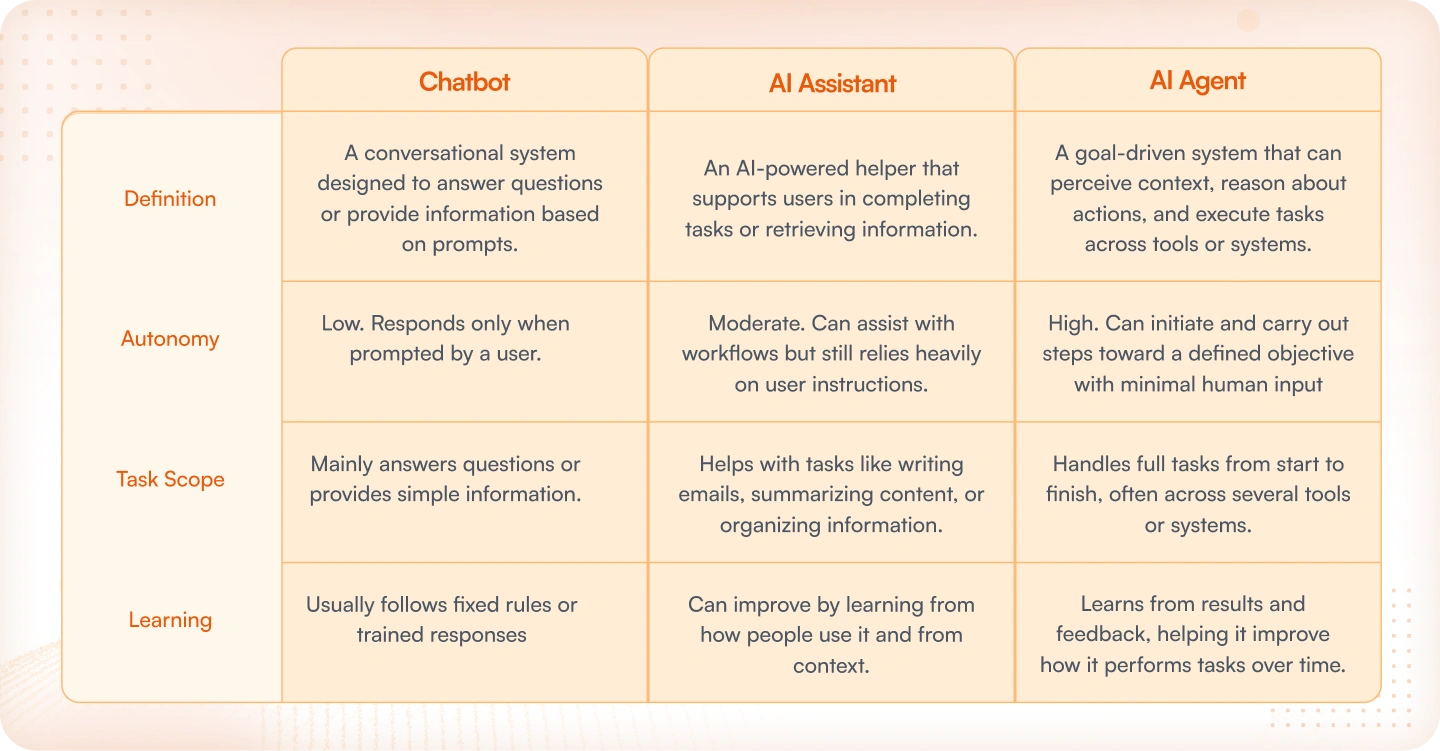
When evaluating AI tools for a team, the terms chatbot, AI assistant, and AI agent tend to come up together — and they often get treated as variations of the same thing, but they’re not!
Chatbots handle conversation. They answer questions, respond to inputs, and keep interactions moving. Useful, but limited in scope. AI assistants go further, drafting emails, summarizing documents, and organizing request information. The keyword there is “on request.” Both tools wait to be asked before doing anything, and once the task is done, they stop.
AI agents work differently. Rather than waiting for direction, they’re built around a goal. To reach it, the agent figures out what steps are required, works across whatever tools or systems are involved, and follows through, without needing someone to approve each move along the way. The level of autonomy is what separates agents from the other two.
Below is a breakdown of how the 3 compare:
The Core Loop in Action
Perceive – Reason – Act – Learn
Most examples of agents in AI operate through a simple cycle. Instead of replying once and stopping, the system keeps going through the same sequence: it takes in information, figures out what it means, performs an action, and then adjusts based on what happened.
A simple way to picture this is an agent that helps HR prepare for a new employee’s first day.
- Perceive: The agent receives the new hire details from the HR platform and pulls the relevant context—role, start date, team, and location.
- Reason: It interprets that information and determines the tasks required, such as setting up accounts or sending onboarding documents.
- Act: The agent carries out those steps across connected systems—for example, creating login credentials, sending paperwork, or notifying IT to prepare equipment.
- Learn: After the process finishes, the system keeps a record of what happened, so similar onboarding tasks can be handled more smoothly next time.
Read more: What Is an Intelligent Agent in AI?
Human‑on‑the‑loop
In many AI agents use cases, the system doesn’t always act completely on its own. When a decision could affect finances, compliance rules, or customer trust, the workflow can pause and ask a person to review the action first.
For instance, if an agent suggests issuing a refund, approving an unusual expense, or updating sensitive account details, the request might be routed to a manager or finance reviewer. They quickly check the situation and either approve, change, or reject the action before it moves forward.
This setup keeps the process efficient while still giving organizations control. The agent handles the routine steps, and people step in only when a decision needs human judgment.
Examples of AI Agents by Type
In many AI agents use cases, the system doesn’t always act completely on its own. When a decision could affect finances, compliance rules, or customer trust, the workflow can pause and ask a person to review the action first.
For instance, if an agent suggests issuing a refund, approving an unusual expense, or updating sensitive account details, the request might be routed to a manager or finance reviewer. They quickly check the situation and either approve, change, or reject the action before it moves forward.
This setup keeps the process efficient while still giving organizations control. The agent handles the routine steps, and people step in only when a decision needs human judgment.
1. Simple Reflex Agents
Simple reflex agents are the most straightforward type. They follow a rule: when a certain situation appears, perform a specific action.
A recognizable example appears in Philips Hue motion‑sensor lighting. When the sensor detects movement in a room or hallway, the lights turn on automatically. If no motion is detected for a set period, the lights switch off. The behavior follows a simple condition‑action rule, making it a clear illustration among examples of agents in AI that rely on direct condition‑action behavior.
2. Model‑Based Agents
Model‑based agents keep a basic representation of the environment they operate in. This allows them to consider what has already happened instead of reacting only to the current input.
A common example is a robotic vacuum like Roomba. As it moves around the room, it builds a simple map of the space and keeps track of areas it has already cleaned. That internal model helps it move more efficiently instead of wandering randomly.
3. Goal‑Based Agents
Goal‑based agents make decisions by asking a simple question: which action moves the system closer to the desired outcome? Instead of reacting blindly, the system evaluates possible steps and chooses one that supports the goal.
One practical example appears in project management tools. Systems like ClickUp Brain can review tasks, deadlines, and priorities, then suggest the next steps that help a team move a project forward.
4. Utility‑Based Agents
Utility‑based agents take decision‑making a step further. Rather than choosing any action that reaches a goal, they compare multiple options and pick the one that produces the best overall outcome.
A well‑known example is Uber’s dynamic pricing system. It continuously evaluates rider demand, driver supply, and location data to determine a price that keeps the marketplace balanced.
5. Learning Agents
Learning agents adapt over time. Instead of relying only on fixed rules, they observe results and gradually adjust their behavior based on patterns they discover.
Netflix recommendations are a good illustration. As viewers watch, rate, or skip shows, the system learns their preferences and improves future recommendations.
6. Hierarchical Agents
Hierarchical agents break complex work into layers. A higher‑level system decides what needs to be done, while smaller subsystems carry out individual tasks.
A clear illustration often mentioned in discussions of AI agents use cases is warehouse automation at Amazon. Central systems coordinate logistics and inventory movement, while smaller robots handle the physical tasks such as picking, sorting, and transporting items.
Everyday AI Agents You Already Use
Discussions about AI agents often focus on enterprise platforms or complex automation systems. However, similar ideas already appear in many tools that people use daily. Inside these products are small decision‑making systems that read context, interpret a request, and perform the next step automatically.
A few familiar products illustrate how this behavior appears in real software:
1. Gemini
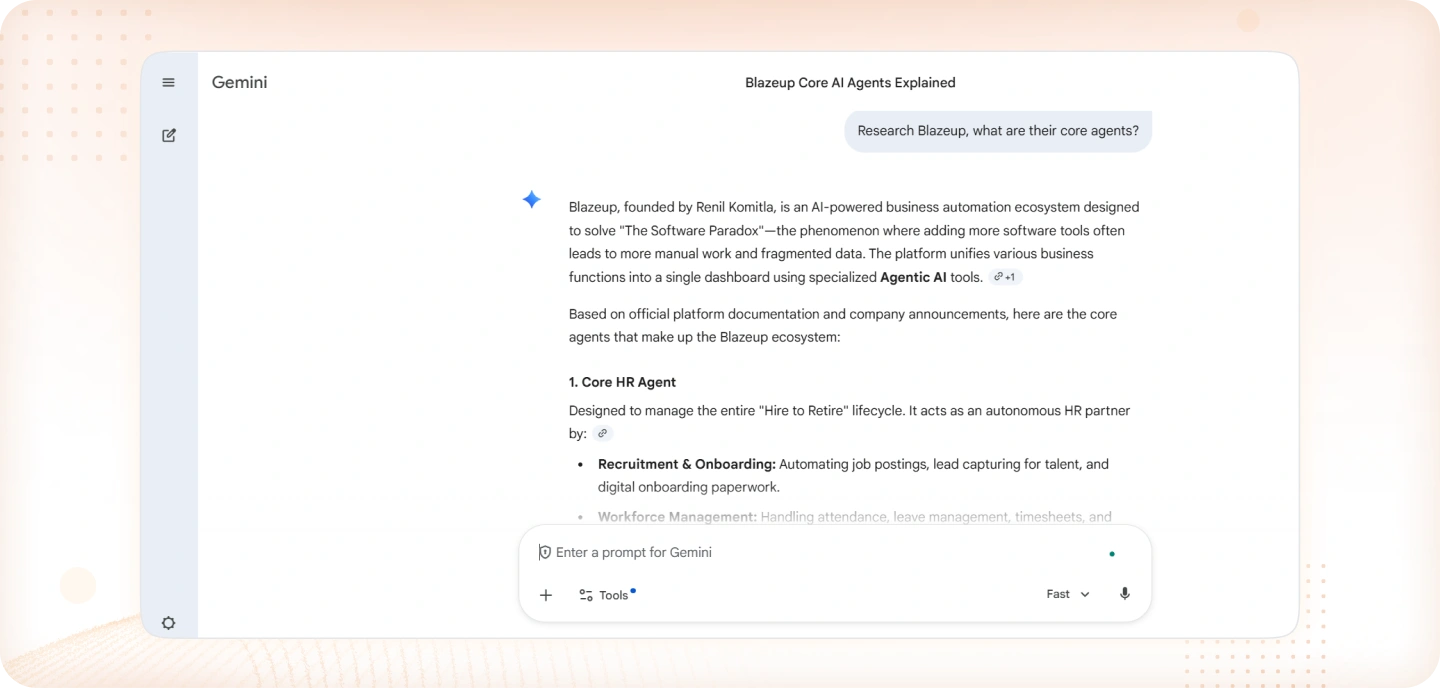
Within Google Gemini, agent‑style capabilities help complete tasks that involve several steps. A request for research or a summary may trigger a process where the system gathers relevant information, reviews it, and then organizes the result into a clear response. Rather than returning a single line of text, the system works through a short sequence of actions to complete the task.
2. ChatGPT
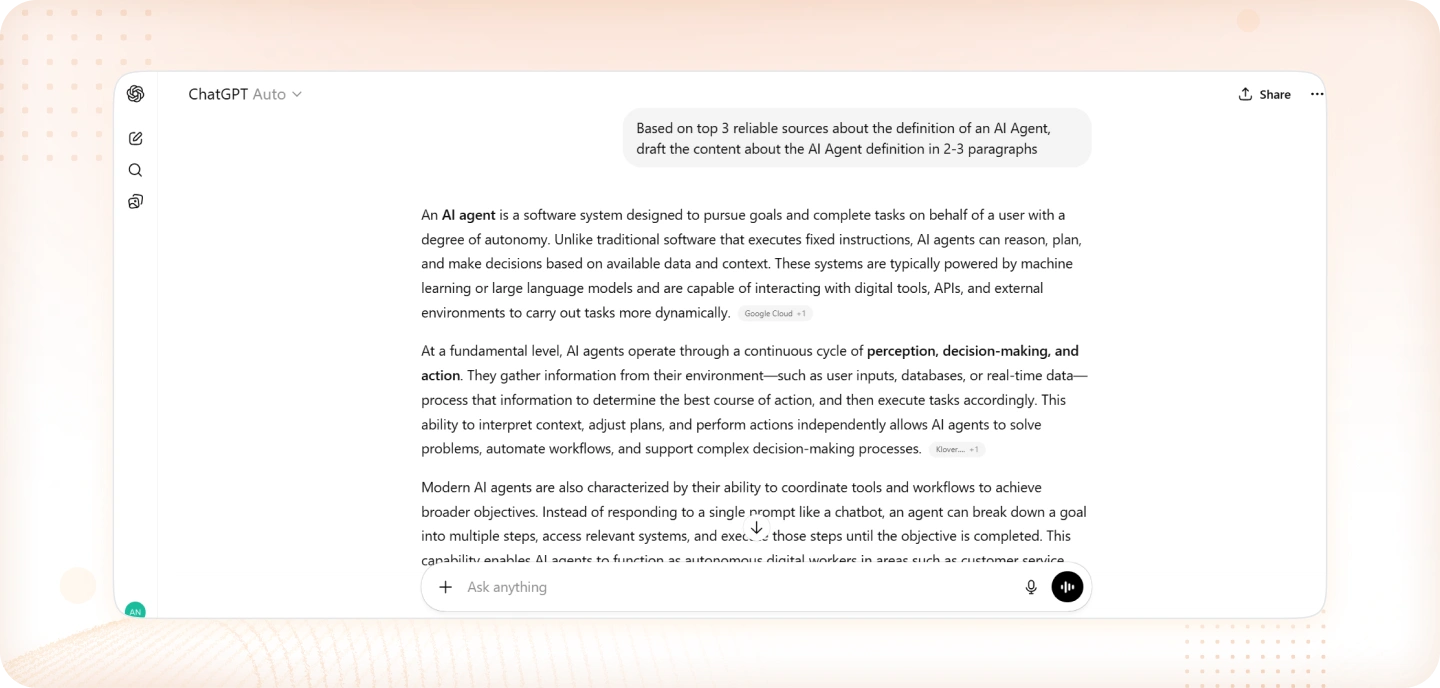
Advanced agents built on ChatGPT are designed to handle problems that require multiple stages of work. For example, the system might collect information from different sources, review what it finds, and then organize the material into a structured explanation or report. Each stage builds on the previous one until the task is finished.
3. Zapier
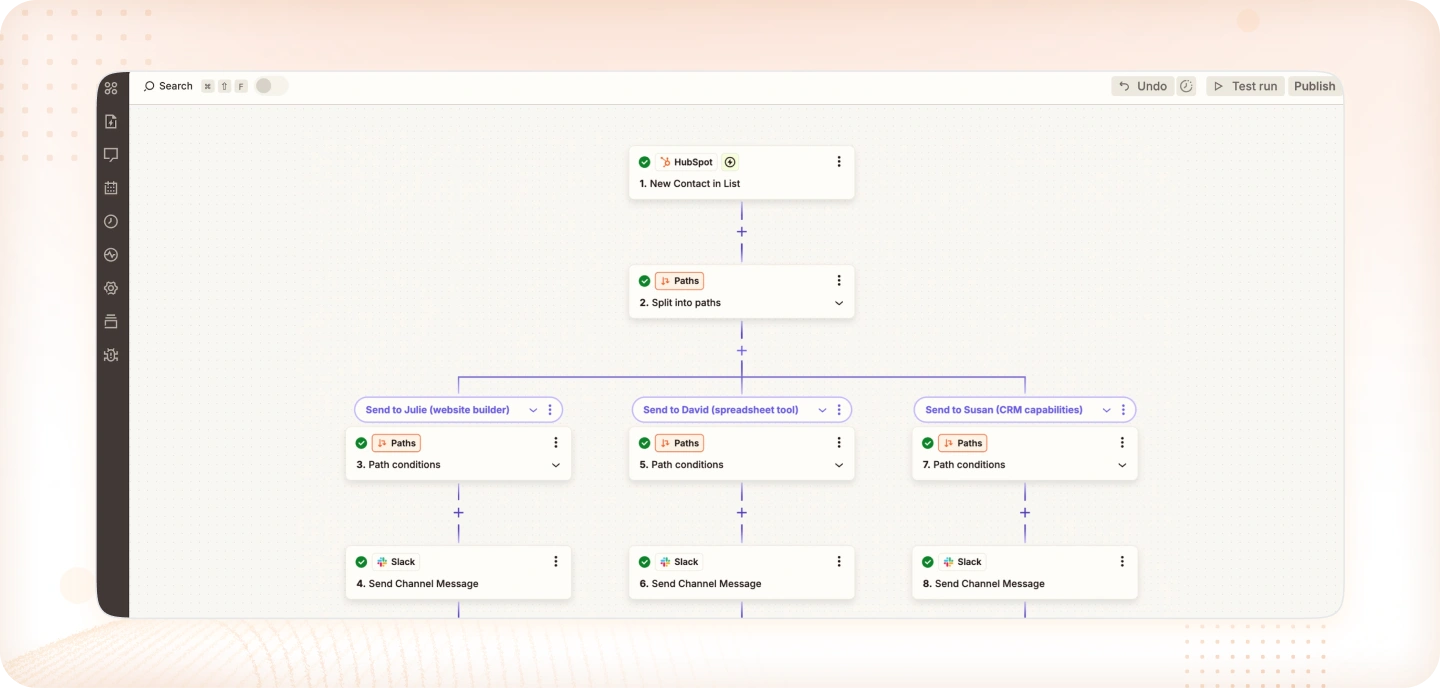
Zapier agents focus on connecting actions across different applications. Once a workflow is set up, the system watches for events and performs the related steps automatically. A new form entry, for instance, can trigger the creation of a CRM contact and send a message to a team workspace. The agent manages these connections so the process continues without manual coordination.
4. Google Maps
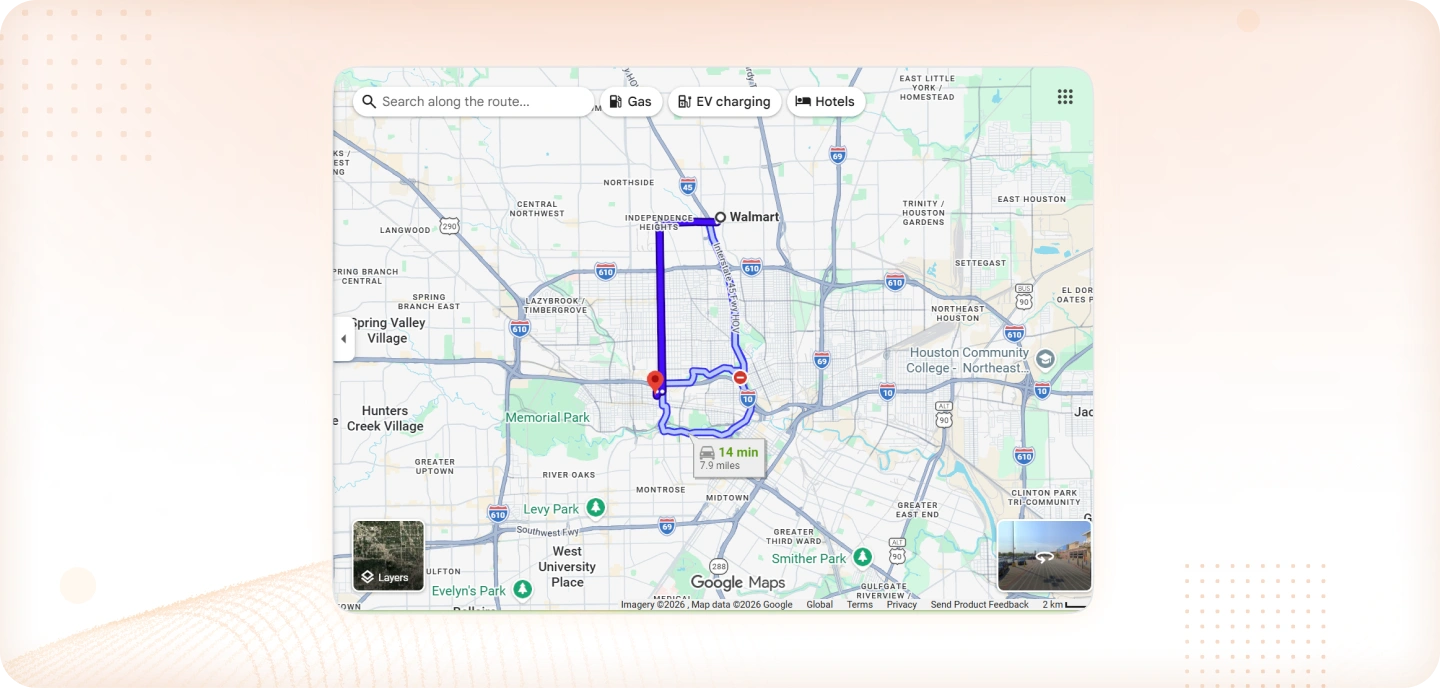
Google Maps provides another familiar example. The app constantly reviews traffic patterns, road closures, and travel speeds across the network. When conditions change, it may recommend a different route that reduces travel time. The suggestion appears because the system is continually evaluating new data and adjusting its decision.
5. Siri
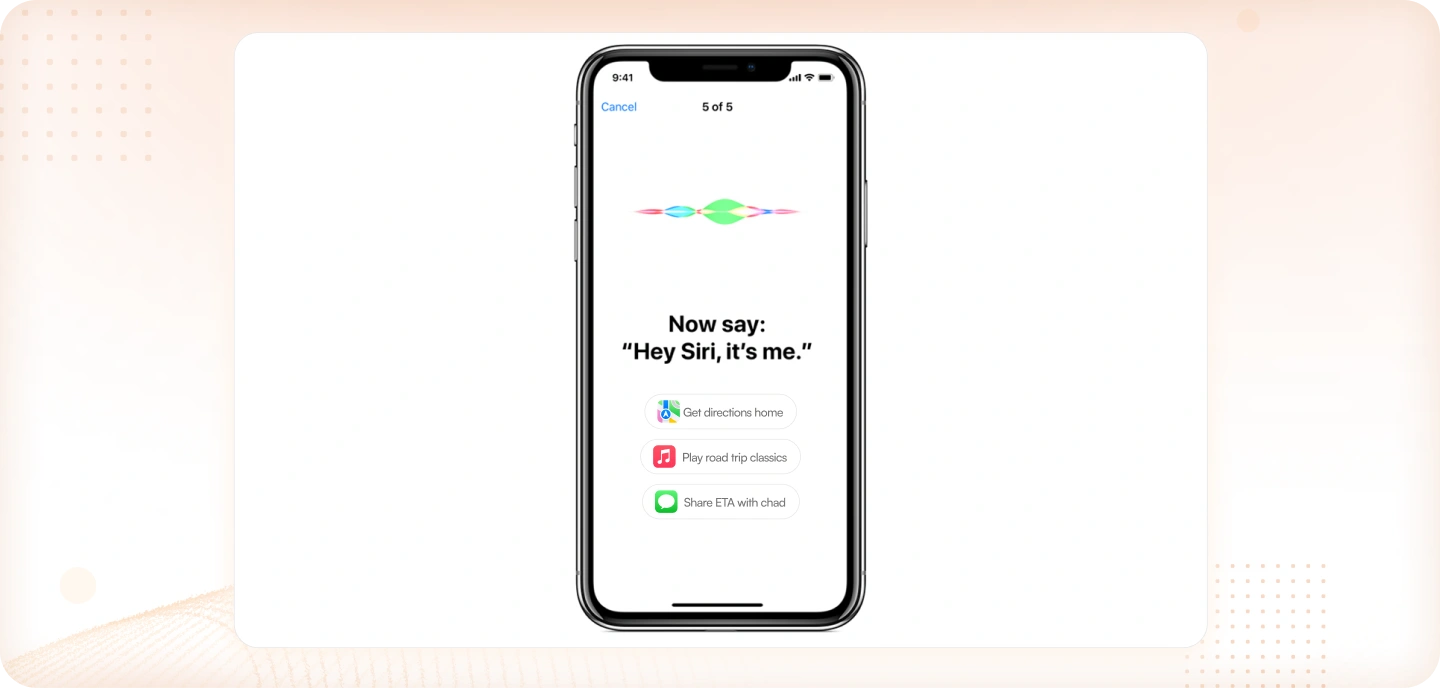
Apple’s Siri demonstrates a similar pattern through voice commands. When a request such as setting a reminder or sending a message is spoken, the assistant identifies the intent and triggers the appropriate action within the device or connected services. Spoken language is interpreted and translated into a concrete task that the system carries out.
Single vs. Multi-Agent Systems
AI agents do not always operate in the same structure. Some systems are built to complete one clearly defined task from start to finish. Others divide work across several specialized agents that coordinate with each other.
These two approaches are commonly described as single-agent systems and multi-agent systems.
Single-Agent System
In a single-agent system, one agent handles the entire task. It receives the input, evaluates the situation, and produces the output without relying on other agents. The scope is usually narrow and focused.
A simple example can be found in transaction monitoring within banking systems. A fraud‑detection model may review payment activity and flag unusual transactions. Its job is limited to identifying suspicious behavior. Once the alert is created, another system or a human analyst typically handles the next step.
Multi-Agent System
A multi-agent system takes a different approach. Instead of one agent performing every step, several agents specialize in different responsibilities. An orchestrator or coordinating layer directs the workflow and decides which agent should act next.
Large organizations often run multiple AI systems across different operational areas. For instance, financial institutions may deploy separate systems for fraud monitoring, payment validation, and compliance checks. Each system focuses on its own domain, but together they support broader decision‑making across the organization.
How Blazeup Applies Multi-Agent Architecture
Blazeup uses a similar structure through an orchestration agent called Blazey. Rather than placing every capability inside one model, Blazey receives the user request and determines which specialized agent should handle each part of the task.
Depending on the request, Blazey may coordinate work between several domain agents:
- Core HR Agent – handles employee records and HR workflows
- Finance Agent – manages payroll, expenses, and financial approvals
- ITSM Agent – processes service tickets and IT operations
- CRM Agent – supports customer and sales processes
- Project Management (PM) Agent – coordinates project activities
Each agent focuses on its own area, while Blazey manages how the work moves between them. This structure allows complex operational tasks to be completed without placing every responsibility on a single system.
Organizations exploring this model can see how the approach works in practice. Schedule a consultation with Blazeup to learn how Blazey can coordinate HR, Finance, ITSM, CRM, and PM agents within a unified workflow.
What Makes a Good AI Agent
Not every AI agent works well in real environments. Some can generate responses but struggle when asked to complete real tasks across systems. In practice, useful agents share several core characteristics that allow them to operate reliably inside business workflows.
Industry research also shows that organizations are still cautious. A recent Gartner survey found that only 15% of IT application leaders are considering piloting or deploying fully autonomous AI agents, while 74% view autonomous agents as a potential security risk. These concerns highlight why design choices matter when building practical AI agents use cases.
Below is a simple checklist that helps explain what separates a strong agent from a basic automation tool.
1. Clear Goal
A good agent needs a clearly defined objective. Without a goal, the system cannot determine which actions matter or how success should be measured.
For example, instead of building a general “finance assistant,” a team might design an agent whose job is to review employee expense submissions and flag policy violations. The goal is specific, measurable, and easy to evaluate.
2. Tool Access
Agents need the ability to interact with real systems. Without access to APIs, databases, or internal tools, the agent can only generate suggestions rather than perform actual work.
For instance, a support agent designed to resolve refund requests should be able to check order history, verify payment status, and trigger a refund workflow directly through the company’s billing system.
3. Memory
Memory allows the agent to retain useful context across steps in a workflow. This may include previous user interactions, task status, or historical data.
Consider an HR onboarding agent. If the system has already created an employee account and sent the onboarding documents, it should remember those steps. That memory prevents the agent from repeating tasks and helps it continue the process smoothly.
4. Human-on-the-Loop
Many AI agents use cases still require human oversight. Instead of acting completely autonomously, the agent pauses when a decision carries financial, legal, or operational risk.
For example, a finance approval agent may automatically process small reimbursements but route high-value expenses to a manager for confirmation before completing the action.
5. Transparency
Organizations also need visibility into how the agent operates. Logs, reasoning traces, and audit trails allow teams to review what the system did and why.
In practice, this might mean keeping a record of which data the agent reviewed, what rule triggered a decision, and which action was taken. This visibility makes the system easier to monitor and improves trust in automated workflows.
Conclusion
AI agents are moving beyond simple assistants that generate answers. Increasingly, they are being designed to carry out tasks, coordinate workflows, and operate across business systems. The shift is subtle but important: instead of acting like copilots that wait for instructions, many modern systems behave more like digital colleagues responsible for specific operational work.
This change is already shaping enterprise software. According to Gartner, 40% of enterprise applications are expected to include task‑specific AI agents by 2026. Rather than one general AI handling everything, organizations are beginning to deploy specialized agents for finance, HR, customer operations, and other domains.
For companies exploring this direction, the opportunity is not just adopting AI, but designing how agents fit into real workflows. When orchestrated correctly, agents can coordinate tasks, reduce manual work, and allow teams to focus on higher‑value decisions.
Platforms like Blazeup apply this idea through a multi‑agent architecture. With an orchestration layer such as Blazey coordinating domain agents—HR, Finance, ITSM, CRM, and Project Management—organizations can route tasks to the right system automatically.
Schedule a consultation with Blazeup to explore how coordinated AI agents can support your operations and automate complex workflows.
Frequently Asked Questions
A helpful illustration comes from everyday email filtering. When a message enters the inbox, the filtering system quickly checks signals such as suspicious domains, repeated spam phrases, or unusual link patterns. If those indicators match known spam behavior, the message is moved out of the inbox automatically. The mechanism is straightforward, but it still follows the core agent pattern: it observes incoming data, evaluates it, and takes an action. For that reason, a spam filter is commonly cited as a simple example of agent in AI.
 Jamie Ho